
Prerequisites
- Admin user role
- Oleria ServiceNow application Update Set
Elevate Role to Admin
Log in to your ServiceNow instance and elevate your role to Admin.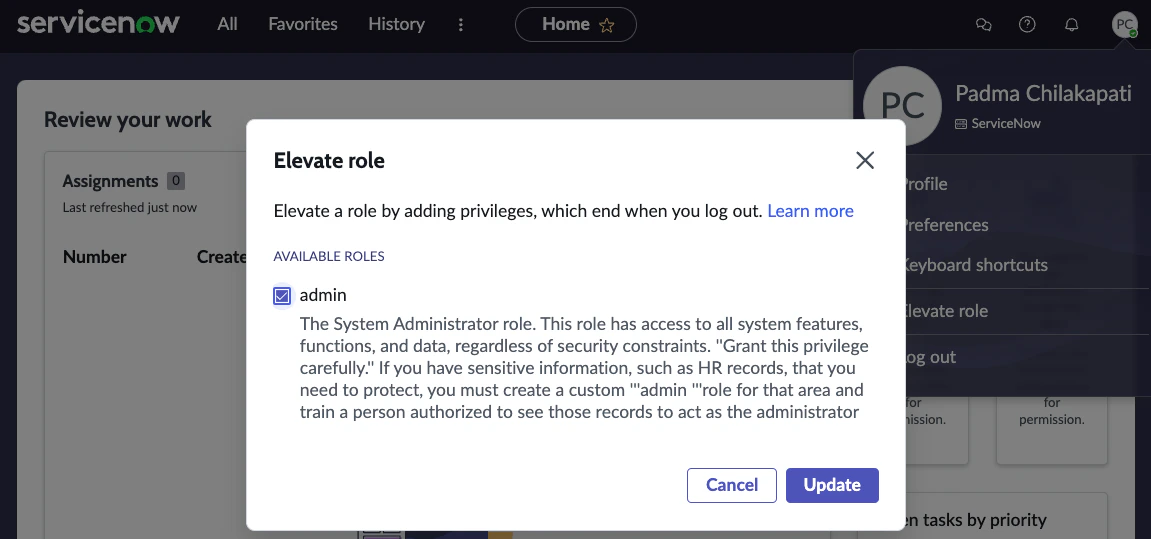
Upload the Oleria Update Set
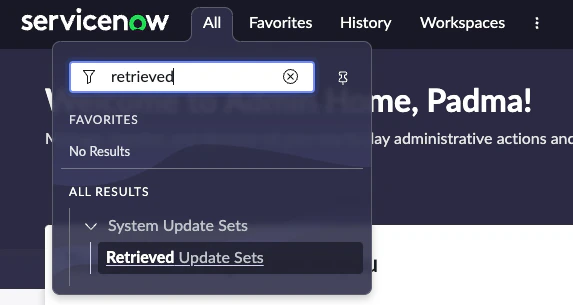
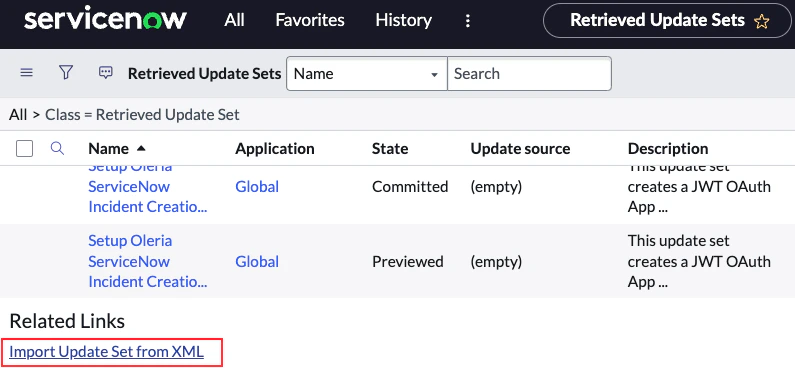
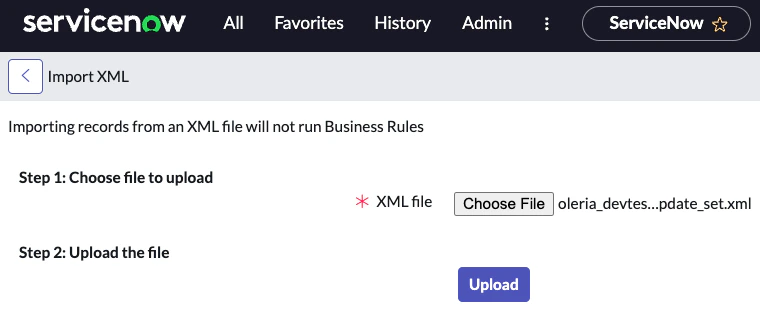
Select the uploaded update set
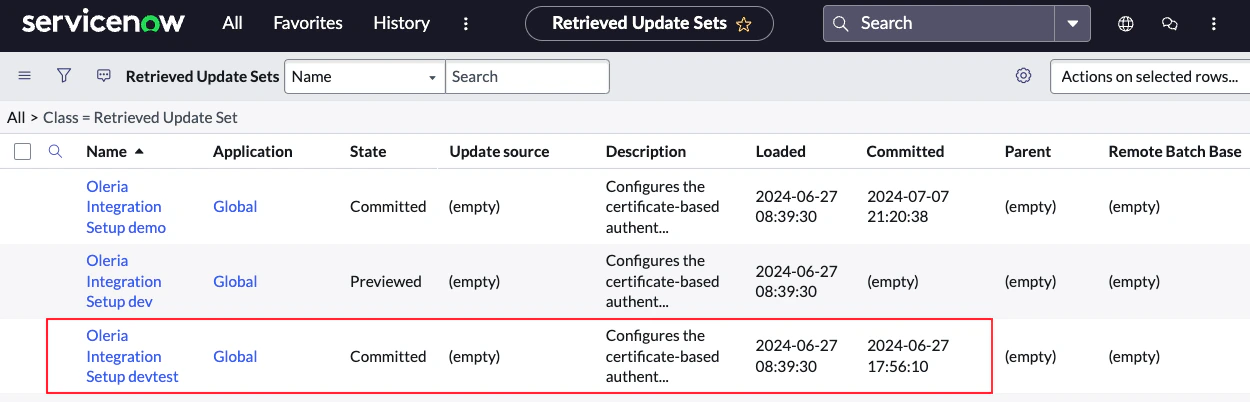
A successful file upload will take you to the Retrieved Update Sets page. Select the uploaded Oleria update set file.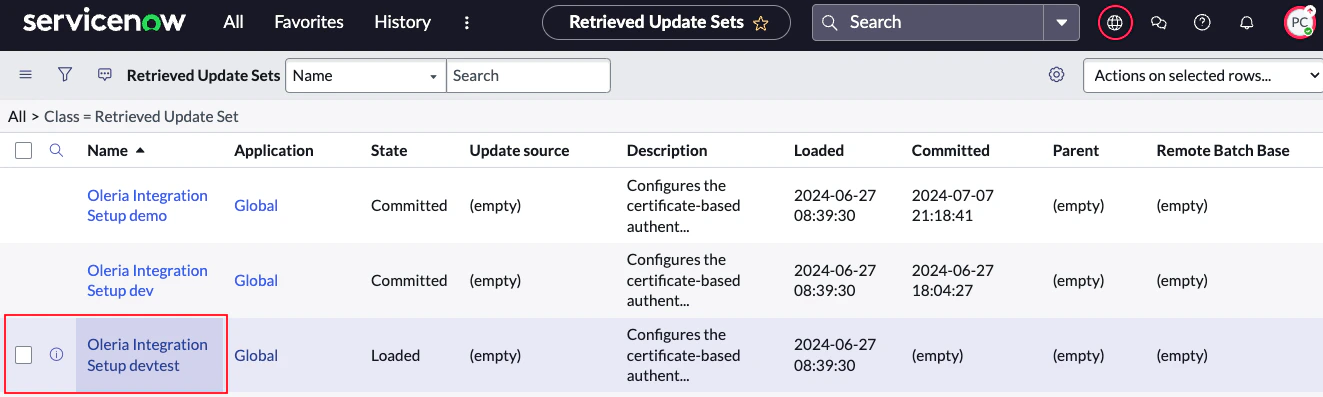
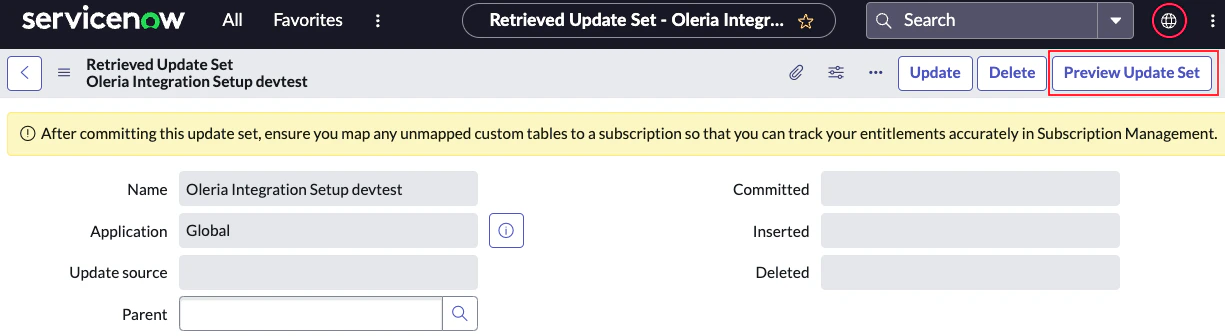
Confirm the preview
The update set preview should run successfully. Close the Update Set Preview window.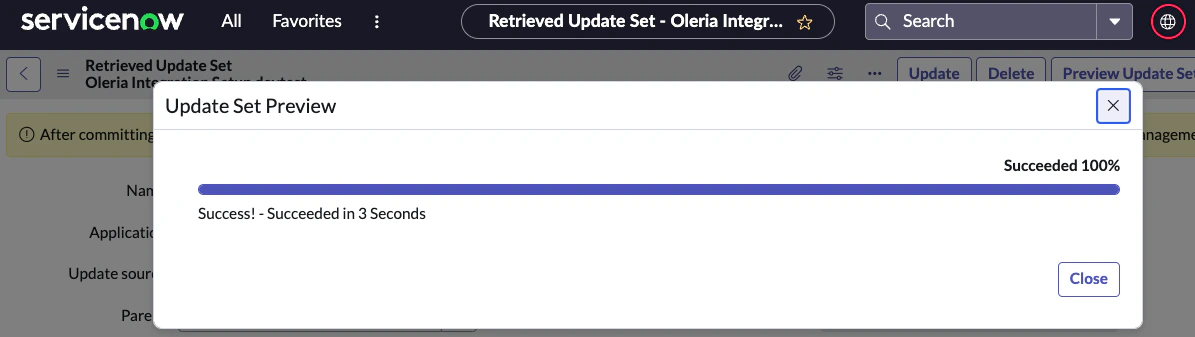
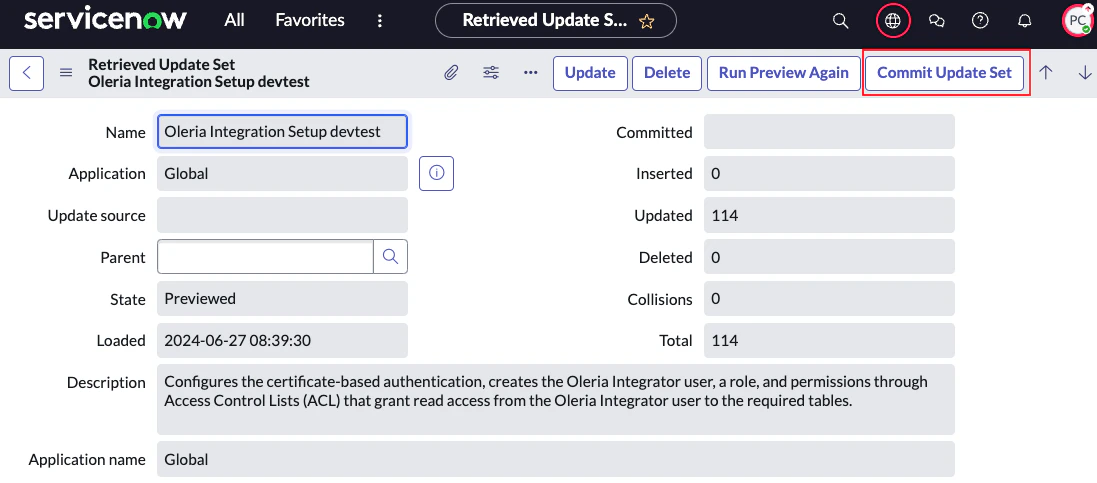
Verify customer updates
You should find 55 customer updates.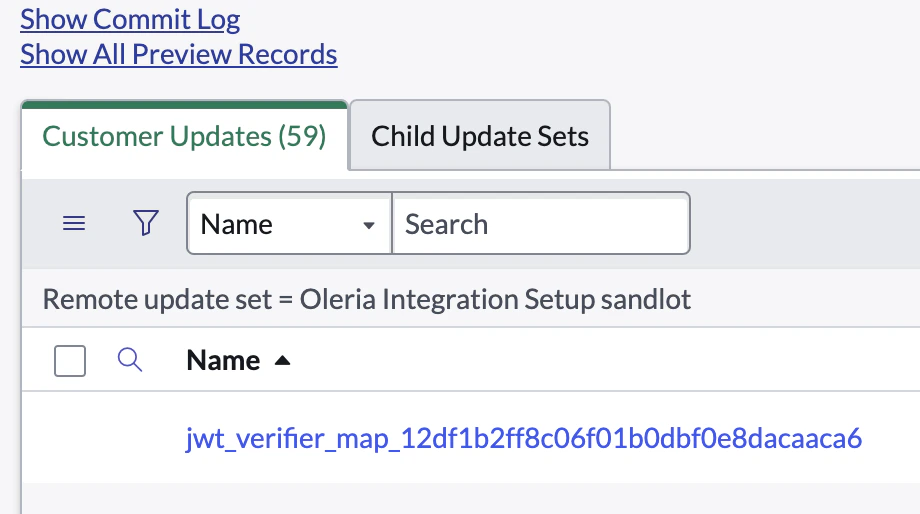
Reach out to the Oleria team if you don’t see 55 customer updates.